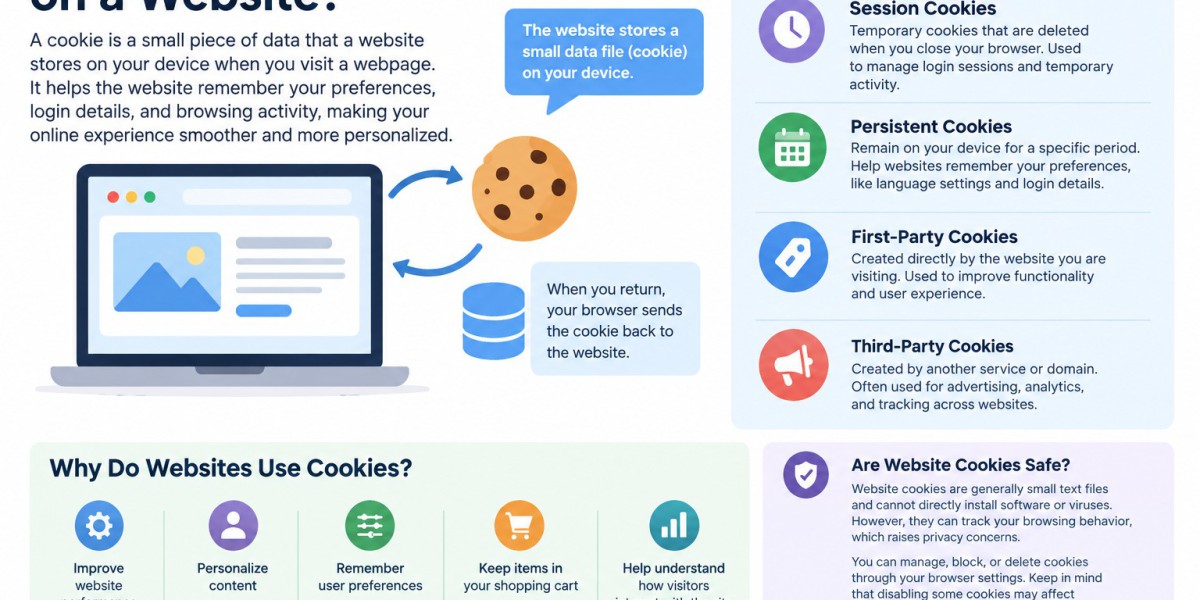

A cookie on a website is a small piece of data that a website stores on a user's device when they visit a webpage. Website cookies help websites remember information about visitors, such as login details, language preferences, shopping cart items, and browsing activity. Cookies play an important role in creating a smoother and more personalized online experience.
When you visit a website for the first time, the website may send a small text file to your web browser. This file is stored temporarily or for a longer period, depending on the type of cookie. When you return to the same website, your browser can send the cookie information back to the website. This allows the website to recognize your previous activity and preferences.
How Do Website Cookies Work?
Website cookies work by storing a unique piece of information in your browser. For example, when you log in to a website and select the option to stay signed in, a cookie can remember your login session. This means you do not have to enter your username and password every time you visit the website.
Cookies can also remember items that you add to an online shopping cart. Without cookies, an e-commerce website might not remember the products you selected when you move from one page to another.
Types of Website Cookies
There are several common types of cookies used on websites:
1. Session Cookies
Session cookies are temporary cookies that are deleted when you close your web browser. They are commonly used to manage login sessions and temporary website activity.
2. Persistent Cookies
Persistent cookies remain on your device for a specific period. They help websites remember information such as language settings, login preferences, and previously visited pages.
3. First-Party Cookies
First-party cookies are created directly by the website you are visiting. They are often used to improve website functionality and user experience.
4. Third-Party Cookies
Third-party cookies are created by another service or domain. They have commonly been used for advertising, analytics, and tracking user activity across different websites.
Why Do Websites Use Cookies?
Cookies provide several benefits for both website owners and visitors. They can improve website performance, personalize content, remember user preferences, and help website owners understand how visitors interact with their pages.
For example, a website may use cookies to remember your preferred language or display products based on your previous browsing activity. Analytics cookies can also help businesses understand which pages receive the most traffic and where improvements are needed.
Are Website Cookies Safe?
Website cookies are generally small text files and cannot directly install software or viruses on your device. However, some cookies can be used to track browsing behavior, which has created privacy concerns. This is why many websites display cookie consent banners and provide information about how cookies are used.
Users can manage, block, or delete cookies through their browser settings. However, disabling certain cookies may affect website functionality and prevent some features from working properly.
Conclusion
So, what is a cookie on a website? A cookie is a small piece of data that helps websites remember information about visitors and improve their browsing experience. From keeping users logged in to remembering shopping cart items and preferences, cookies are an essential part of modern websites. Understanding how website cookies work can help users make better decisions about their online privacy while allowing businesses to create more convenient and personalized digital experiences.






