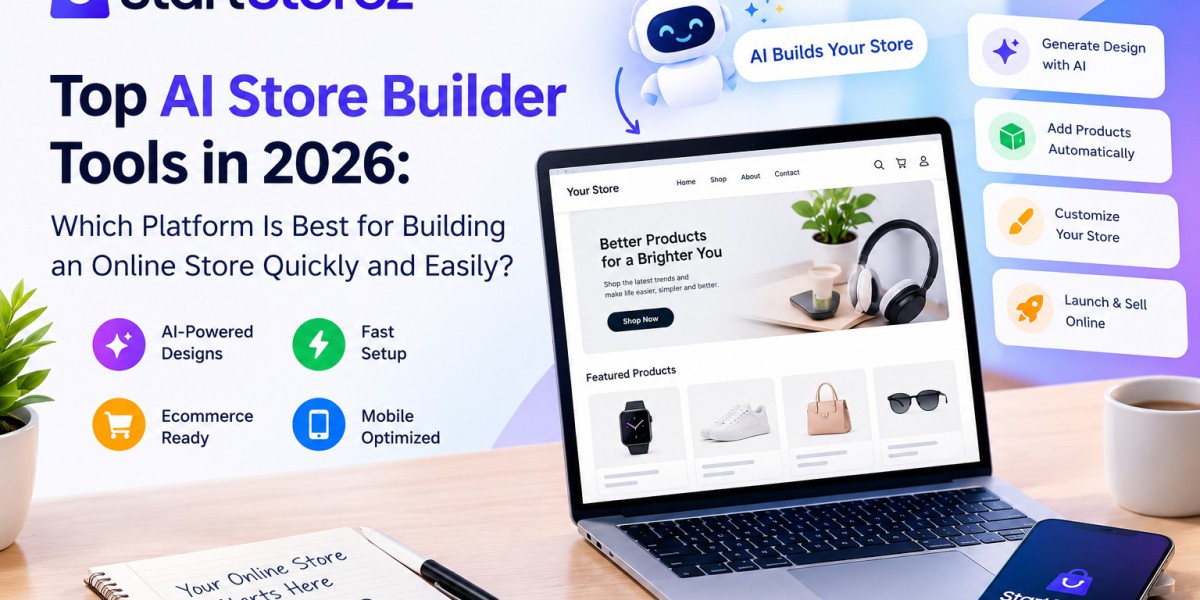

Building an online store used to require design skills, coding knowledge, and a lot of time. In 2026, artificial intelligence has changed that process. New ecommerce tools can create layouts, write product content, suggest designs, and help business owners complete many setup tasks faster.
The main challenge is not finding an AI tool. There are now many options. The real challenge is choosing a platform that matches your business, budget, technical skills, and growth plans.
This guide looks at popular AI-powered store-building options and explains what each type of platform can do. It also covers important features to check before launching a store.
What Is an Ai Store builder?
An Ai Store builder uses artificial intelligence to help create or manage an online store. Instead of starting with a blank page, you can describe your business, products, style, or target customers. The system can then suggest a store structure or generate parts of the website.
Depending on the platform, AI can help with:
- Store layouts and page sections
- Product descriptions
- Headlines and marketing copy
- Images and basic visual editing
- Navigation and page structure
- Customer support replies
- Product recommendations
- Store management tasks
Shopify, for example, provides AI features such as Sidekick and Shopify Magic. Shopify says Sidekick can help with guidance, content, custom apps, and tasks in the admin, while Shopify Magic can generate content such as product descriptions and email text. These tools are designed to reduce repetitive work, although AI-generated results should still be reviewed before publishing.
Why AI Store Builders Are Growing in 2026
Online sellers want to move from an idea to a working store without spending weeks on technical setup. AI can shorten some of the early design and content steps.
Shopify's current AI store builder can generate personalized store designs from a short business description, while Wix lets users describe a website and create a personalized site with its AI tools.
AI is also becoming useful after a store is launched. Store owners can use AI for product copy, customer communication, image improvements, marketing ideas, and other everyday tasks.
Another important change is AI shopping. Shopify says its agentic storefront tools can make products discoverable through channels such as ChatGPT, Google AI Mode, Gemini, Microsoft Copilot, and Meta for eligible stores.
This means store building is no longer only about making a good-looking website. Product information, customer experience, speed, mobile usability, and discoverability also matter.
Top AI Store Builder Tools to Consider
1. StartStorez
StartStorez is relevant for people who want an ecommerce-focused approach to store creation and web development. The brand aistorebuilder.startstorez can be considered when the goal is to simplify the process of creating an online store without making the owner handle every technical detail manually.
A useful AI workflow should help with the basic structure first. After that, the store owner should be able to edit products, pages, branding, and other important sections.
For beginners, simplicity matters. A complicated interface can make even a powerful platform difficult to use. A straightforward builder can make it easier to move from an idea to a usable store.
2. Shopify AI Store Builder
Shopify is one of the major ecommerce platforms offering built-in AI features. Its AI store builder can generate store designs from a business description. Shopify also provides Sidekick and Shopify Magic for tasks that continue after the initial design stage.
This makes Shopify useful for sellers who want their website, products, checkout, payments, inventory, and store management connected in one ecommerce system.
Shopify's AI tools can also work with third-party AI services. Its documentation explains that merchants can connect tools such as ChatGPT, Claude, and Perplexity, with permissions controlling what those tools can access.
For a serious ecommerce business, this combination of AI assistance and ecommerce infrastructure can be more useful than a simple website generator.
3. Wix AI Website Builder
Wix has made AI a major part of its website-building experience. Its current AI tools allow users to describe what they want and receive a generated website that can then be customized. Wix also offers ecommerce functionality for businesses that want to sell products online.
One benefit is flexibility. A business can use AI to create the initial design and then continue editing the site manually.
Wix may suit users who want a broader website platform that can support ecommerce, content, marketing, and other business needs.
4. AI Tools Connected to Shopify
Not every AI store-building experience has to happen inside one platform. Shopify now supports connections with external AI tools. According to Shopify, some connected tools can create stores, manage products, update prices, and perform other store tasks, depending on the integration and permissions.
This approach is useful for people who already use AI tools for writing, coding, design, or business operations. Instead of replacing their workflow, the AI connection can become another way to manage the store.
However, permissions should always be checked carefully. Store owners should understand what information an AI service can access and what changes it is allowed to make.
5. AI Website Builders With Ecommerce Features
There are also many general AI website builders that can add ecommerce features. These platforms can be useful for small businesses that need a website and a store together.
The advantage is that you can often create more than product pages. You may also build landing pages, blogs, service pages, contact sections, and other parts of a business website.
The limitation is that ecommerce depth can vary. Before choosing one, check payment options, inventory tools, shipping support, product variants, analytics, integrations, and checkout features.
AI Store Builder Free Options: What Should You Check?
Many beginners search for an ai store builder free option because they want to test an idea before spending money. That can be a sensible approach, but "free" does not always mean the complete store is free.
A free plan may limit products, storage, custom domains, features, branding, payments, or publishing options. Some tools may provide free AI generation but require a paid ecommerce plan when you are ready to sell.
Before starting with an ai store builder free plan, check these points:
- Can you create and edit the store without coding?
- Can you add products easily?
- Can you connect a custom domain?
- Does the platform support secure checkout?
- Can you manage inventory?
- Does it work well on mobile?
- Can you export or move your content?
- Are important features locked behind a paid plan?
A good free starting option should let you understand the workflow before you commit. An ai shopify store builder free trial can also help you compare the setup experience.
Features to Look for in a Modern Ai Store builder
The best tool for one business may not be the right tool for another. Instead of choosing based only on the word "AI," compare the features that affect daily store management.
1. Easy Store Generation
The first setup should be simple. You should be able to describe your business and quickly get a useful starting point.
2. Editing Control
AI should save time, not remove control. Look for easy editing of colors, fonts, sections, menus, products, and pages.
3. Ecommerce Functions
A store needs more than a homepage. Product management, cart functionality, checkout, payments, shipping, taxes, and inventory should be considered.
4. Mobile Design
A large number of shoppers use mobile devices. Your store should look clean and work properly on smaller screens.
5. SEO Support
A builder should make it possible to edit page titles, descriptions, URLs, headings, image text, and other basic SEO elements.
6. AI Content Assistance
AI can help create product descriptions, headlines, FAQs, emails, and other content. Shopify Magic is one example of this type of built-in assistance.
7. Integrations
As your business grows, you may need email marketing, analytics, payment services, shipping tools, marketplaces, or other apps.
8. Scalability
Do not choose only for today's needs. Consider whether the platform can support more products, more visitors, additional sales channels, and a larger customer base later.
Ai Store builder vs Traditional Website Development
Traditional development gives you deep control, but it can require more time, technical knowledge, and development work. An AI-based approach can speed up the first stages by generating a starting structure and content.
That does not mean developers are no longer useful. Custom ecommerce stores can still need professional development for advanced features, integrations, performance improvements, custom applications, and unique user experiences.
For many small businesses, a practical approach is to use AI for repetitive work and human expertise for decisions that require business knowledge.
How to Choose the Right Platform
Start with your business goal. If you are testing a product idea, a simple builder may be enough. If you plan to build a large ecommerce brand, look more closely at checkout, inventory, integrations, analytics, and scalability.
Next, test the editing experience. Generate a store and try changing the homepage, adding products, editing text, and adjusting the design.
Then check the pricing structure. Look beyond the starting price. Understand what happens when you need a custom domain, more products, additional features, or higher limits.
Finally, review AI-generated content. AI can make mistakes, create generic copy, or misunderstand your instructions. Shopify itself recommends reviewing AI outputs before applying them.
The Future of AI Ecommerce
AI is moving from simple content generation toward broader store management and shopping experiences. Shopify's 2026 updates show this direction clearly, with AI tools supporting store creation, management, and product discovery through AI channels.
For store owners, this creates an opportunity to save time while focusing more on products, customers, branding, and business strategy.
The key is to treat AI as a working assistant rather than a complete replacement for human decisions. A successful store still needs accurate product information, useful policies, reliable fulfillment, good customer service, and a clear reason for customers to buy.
Conclusion
AI store builder tools can make ecommerce easier for beginners, creators, and small businesses. They can reduce the amount of manual design and writing work needed at the start and can continue helping with everyday store tasks after launch.
There is no single platform that fits every business. Compare the tools based on ease of use, ecommerce features, customization, pricing, integrations, mobile performance, and long-term growth.
If your goal is to create a Shopify-focused store with less technical work, exploring a free shopify store builder can be a practical first step before moving into more advanced development and ecommerce features.
FAQs
1. What is an Ai Store builder?
It is a platform that uses artificial intelligence to help create, design, customize, or manage an online store. Depending on the tool, it may generate layouts, product content, images, or other store elements.
2. Can beginners use AI store builders?
Yes. Many modern platforms are designed for users without coding experience. However, beginners should still review AI-generated content and test important store functions before launching.
3. Is an ai shopify store builder free completely?
Not always. Some AI features may be available at no cost, while full ecommerce hosting, advanced features, or a custom domain may require a paid plan. Always check the current pricing and plan limits.
4. Can AI create a dropshipping store?
AI can help create product pages, store layouts, descriptions, and other content for dropshipping businesses. A free dropshipping store builder can reduce the amount of manual setup needed at the beginning. A free dropshipping store builder may also help with early testing, but sellers should evaluate supplier quality, shipping times, product margins, and customer support.
5. Is an ai store builder free good for a real business?
It can be useful for testing an idea or starting a small store. Before launching seriously, check payment, security, SEO, analytics, inventory, support, and scalability.
6. Do I need a developer if I use AI?
Not necessarily for a basic store. Developers become more useful when you need custom features, complex integrations, advanced performance work, or a highly customized design.
7. What should I check before choosing a builder?
Check store creation speed, editing control, ecommerce features, mobile design, SEO tools, integrations, pricing, support, and the ability to grow with your business.