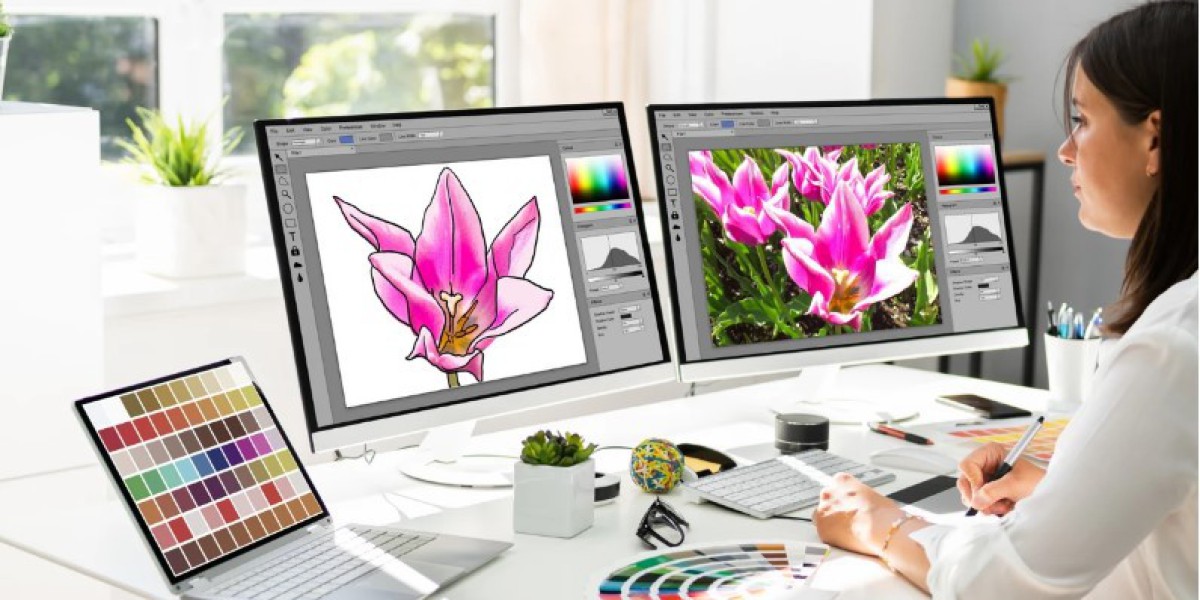

Introduction
Ever enlarged a logo only to find blurry edges, rough lines, or tiny pixels everywhere? It is a common problem when artwork was created as a small raster image.
That is where Quality Vector Art Services can help. Vector artwork is built from mathematical paths rather than fixed pixels, allowing graphics to stay sharp when resized.
Whether you need a logo for a business card, a large banner, product packaging, apparel, or digital media, properly created vector artwork gives you much more flexibility.
What Is Vector Art?
Vector art is digital artwork created using paths, curves, lines, and shapes instead of individual pixels.
Because these elements are mathematically defined, a vector graphic can be enlarged or reduced without losing its basic sharpness.
Common vector file formats include:
- AI
- EPS
- SVG
- CDR
The exact format you need depends on your design software, printing method, website, or production requirements.
What Are Quality Vector Art Services?
Quality Vector Art Services involve professionally recreating or converting artwork into clean, scalable vector graphics.
For example, you might have a small JPG logo that looks fine on your phone but becomes blurry when printed on a large sign. A vector artist can rebuild the artwork using precise shapes, paths, curves, and colors.
The goal is not simply to trace an image. Good vectorization focuses on creating artwork that is clean, editable, practical, and suitable for its intended use.
Why Businesses Need Vector Artwork
A strong visual identity often needs to appear in many different places.
The same logo might be used on a website today and printed on a large promotional banner tomorrow. A pixel-based image may not handle those size changes well.
Vector artwork can make it easier to use the same graphic for:
- Business cards
- Signs and banners
- Product packaging
- Apparel
- Labels
- Brochures
- Social media graphics
- Websites
- Promotional materials
Having a properly prepared master vector file can save time when creating future designs.
Raster vs. Vector Graphics
Understanding the difference between raster and vector graphics makes the value of vectorization easier to see.
Raster Graphics
Raster images are made from pixels. JPG, PNG, and GIF are common examples.
When a raster image is enlarged too much, its pixels become visible, resulting in a blurry or jagged appearance.
Vector Graphics
Vector graphics use mathematical paths to define shapes and lines.
This makes them suitable for artwork that needs to be resized frequently while maintaining clean edges.
A Simple Example
Imagine a small logo printed on a business card. Now imagine using that same logo on a large outdoor sign.
A low-resolution raster image may become soft and pixelated. A properly created vector version can be scaled to a much larger size while keeping its shapes and edges sharp.
How Quality Vector Art Services Work
Professional vector conversion usually follows a structured process.
1. Artwork Review
The first step is examining the source image.
The artist checks the resolution, colors, shapes, text, shadows, and other design elements.
They also determine which parts can be recreated directly and which areas may need manual reconstruction.
2. Shape and Path Creation
The artwork is rebuilt using vector paths.
Curves, corners, outlines, and shapes need to be carefully positioned. Poorly placed anchor points can create bumps or uneven curves.
3. Color Matching
Colors are recreated as accurately as practical.
For printing projects, color requirements may involve specific color systems or production specifications.
4. Detail Refinement
Small imperfections are cleaned up during the vectorization process.
This can include:
- Smoothing curves
- Correcting uneven lines
- Cleaning unwanted marks
- Fixing shapes
- Aligning elements
- Refining typography
5. Quality Check
The finished vector file should be reviewed at different sizes.
A good file should remain clean when viewed closely and should work properly for its intended application.
Benefits of Professional Vectorization
Choosing Quality Vector Art Services can provide several practical benefits.
Scalable Artwork
One of the biggest advantages is scalability.
A vector logo can be used at a small size for stationery and enlarged for signage without rebuilding the entire graphic from scratch.
Cleaner Printing
Professional vector artwork can provide clean edges and defined shapes for many print applications.
This is especially useful when artwork contains logos, icons, illustrations, and typography.
Easy Editing
Vector files can usually be edited by changing individual shapes, colors, paths, or text elements.
This is helpful when a business needs different color versions or updated branding.
Better Production Flexibility
A properly prepared vector file can work across different applications, including print, digital graphics, apparel decoration, and other production processes.
Common Types of Vector Art Services
Different projects require different types of vector work.
Logo Vectorization
Logo vectorization converts an existing logo into clean, scalable artwork.
It is useful when the original logo file has been lost or only a low-resolution image is available.
Image to Vector Conversion
A raster image can be manually recreated as vector artwork.
This is common for illustrations, icons, badges, and simple graphics.
Sketch to Vector Conversion
Hand-drawn artwork can be converted into digital vector paths.
This allows sketches to be cleaned up, edited, resized, and prepared for professional use.
Typography and Text Recreation
Text can be recreated as editable vector elements when the original font or artwork is unavailable.
Special care is needed to maintain the correct letter shapes and spacing.
What Makes Vector Artwork High Quality?
Not every vector file is created equally.
A file can technically be a vector while still containing poorly constructed paths and unnecessary points.
When evaluating Quality Vector Art Services, look for these characteristics:
- Smooth curves
- Clean edges
- Accurate proportions
- Organized paths
- Proper color separation
- Minimal unnecessary anchor points
- Correct typography
- Editable elements
- Appropriate file formats
The quality of the underlying paths matters because they affect both editing and production.
When Should You Convert an Image to Vector?
Vector conversion is useful when your current artwork has limitations.
Consider vectorization if:
- Your logo becomes blurry when enlarged.
- You only have a small JPG or PNG.
- A printer requests vector artwork.
- You need an editable logo.
- Your artwork will be used at multiple sizes.
- You want cleaner cutting or printing paths.
- You need different color variations.
If your design will remain a small web image, vectorization may not always be necessary. The intended use should guide the decision.
Preparing Artwork for Vector Conversion
You can make the process easier by providing the best source artwork available.
Use the Highest-Quality Source
Send the clearest version of the image you have. A larger source image often gives the artist more information to work with.
Explain the Final Purpose
Tell the service whether the artwork is intended for:
- Screen printing
- Digital printing
- Large-format printing
- Packaging
- Embroidery
- Web use
- Signage
The intended application can affect how the artwork should be prepared.
Specify Required Formats
If you need AI, EPS, SVG, PDF, or another format, mention it before the project begins.
Vector Art for Printing
Printing is one of the most common reasons people seek Quality Vector Art Services.
Printers often need artwork with clean shapes and appropriate color information. Vector files can be especially useful for logos, illustrations, signs, labels, and promotional graphics.
Before sending a file to a printer, confirm:
- Required file format
- Color mode
- Document dimensions
- Bleed requirements
- Font handling
- Image placement
- Production specifications
Following the printer's requirements can prevent avoidable delays.
Vector Art for Embroidery
Vector artwork and embroidery digitizing are different processes, but they can work together.
A clean vector logo can provide useful source artwork for an embroidery digitizer. The artwork may then be converted into stitches with decisions about stitch type, density, direction, underlay, and sequencing.
However, a vector file itself is not automatically an embroidery file.
The artwork still needs to be digitized according to the fabric, design size, machine, and intended embroidery method.
Common Mistakes in Vector Conversion
Poor vectorization can create new problems instead of solving old ones.
Automatic Tracing Without Cleanup
Automatic tracing can produce excessive anchor points and uneven curves.
Ignoring Small Details
Some details in a raster image may not translate well into vector form and may need careful reconstruction.
Incorrect Colors
Using approximate colors without considering the final application can create unwanted differences in print or branding.
Too Many Anchor Points
Unnecessary points can make paths difficult to edit and may produce rough curves.
Delivering Only One Format
Different projects may require different file formats. It is useful to confirm the formats needed before completing the project.
How to Choose a Vector Art Service
Before hiring a provider, review their work and ask practical questions.
A useful checklist includes:
- Can they handle your type of artwork?
- Do they provide editable vector files?
- Which formats are included?
- Can they recreate detailed logos?
- Do they offer revisions?
- Can they meet your production requirements?
- Do their samples show clean curves and accurate details?
Price is important, but the cheapest conversion may not be the most useful if the file requires extensive cleanup later.
Tips for Getting Better Vector Artwork
A few simple steps can improve your final result:
- Provide the best source image available.
- Explain how the artwork will be used.
- Mention exact colors when important.
- Request editable files.
- Confirm the required formats.
- Review the artwork at both small and large sizes.
- Ask for clean, organized paths.
- Keep the original vector master file for future projects.
These steps can make future design and production work much easier.
Conclusion
Quality Vector Art Services can turn blurry, pixel-based artwork into clean and scalable graphics that are easier to edit and use across different applications.
From logo vectorization and image tracing to print-ready artwork and digital graphics, professional vectorization can give businesses greater flexibility with their visual assets.
The most important thing is to focus on the quality of the paths, colors, shapes, and final file structure—not just the file extension. Provide clear source artwork, explain your intended use, and request the formats you actually need.
A well-built vector file can become a valuable master asset that supports your branding and design needs for years.
FAQs
1. What are Quality Vector Art Services?
Quality Vector Art Services convert or recreate raster images, logos, sketches, and other artwork into clean, scalable vector graphics that can be edited and resized.
2. Why should I convert a JPG logo to vector?
A JPG can become blurry when enlarged. Converting it to vector allows the logo to be scaled more freely while maintaining clean shapes and edges.
3. Which file formats are used for vector artwork?
Common vector formats include AI, EPS, SVG, PDF, and CDR. The best format depends on the software and production process you plan to use.
4. Can vector artwork be used for embroidery?
Yes, vector artwork can serve as source artwork for embroidery digitizing. However, it must be converted into an embroidery stitch file before an embroidery machine can use it.
5. How long does vector conversion take?
Turnaround varies according to artwork complexity, number of colors, detail level, and required output formats. Simple logos generally require less work than detailed illustrations.






