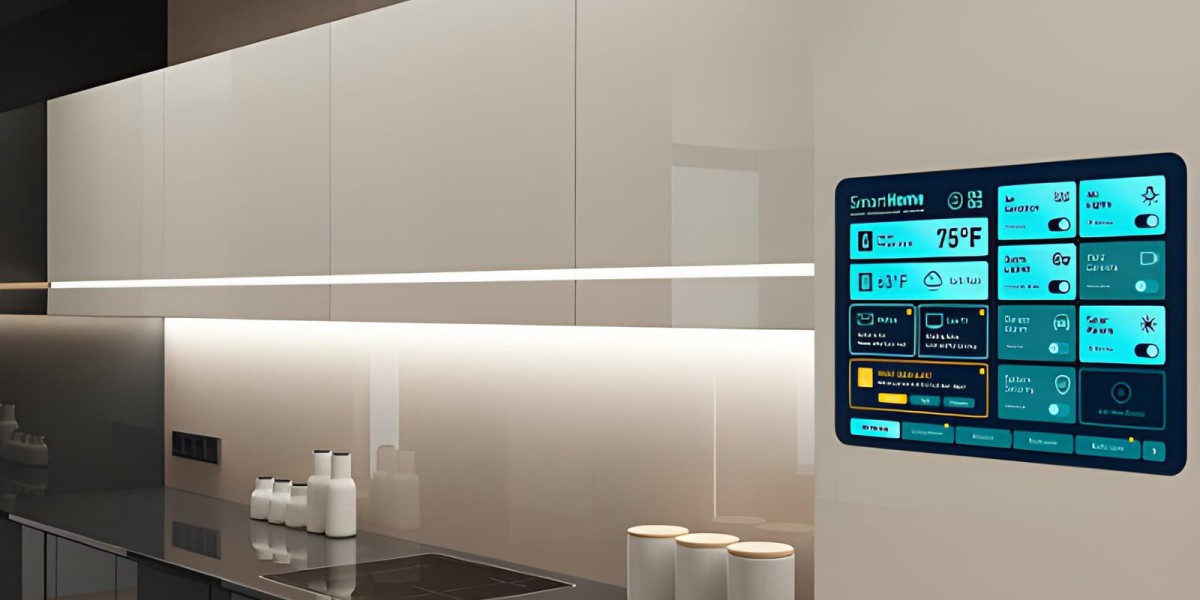

There's a meaningful difference between owning smart devices and having a Home Automation System in Dubai. A smart thermostat that you control from an app is convenient. A system where that same thermostat adjusts itself based on who's home, what time it is, and how hot it is outside without anyone touching a screen is automation. For homeowners in Dubai investing in this technology, understanding that distinction changes what's worth building, and in what order.
What Makes a System "Automated" Rather Than Just "Smart"
A device becomes part of an automated system when it can act on triggers without manual input: a rule that says "if this happens, do that." Motion detected after sunset turns on a hallway light. Nobody home for more than twenty minutes triggers the AC to raise its target temperature. A door left unlocked after 11 p.m. sends an alert. These small rules, layered together, are what actually reduce daily effort not the number of connected devices in a home, but the number of decisions the system makes without being asked.
This matters specifically for Dubai households because the two highest-value automations climate and security both depend heavily on this trigger-based logic rather than simple remote control. Remote-controlling an AC unit from your phone still requires you to remember to do it. Automating it based on occupancy removes that dependency entirely.
The Three Layers of a Working Automation System
Sensing. The system needs to know what's happening — occupancy sensors, door and window contacts, temperature readings, time of day, and sometimes geofencing (detecting when a resident's phone leaves or approaches the property). Without reliable sensing, automation has nothing to act on.
Logic. This is the rule layer — the "if this, then that" conditions connecting sensors to actions. Good logic accounts for exceptions: an AC schedule that pauses on days someone is home sick, or lighting automation that recognizes a guest is staying over rather than following the usual routine.
Action. The visible output — lights adjusting, locks engaging, climate shifting, notifications sending. This is the layer homeowners actually experience, but it's only as good as the sensing and logic behind it.
Most disappointing automation setups fail at the sensing or logic layer, not the action layer. A poorly placed motion sensor, or a rule that doesn't account for a common exception, undermines an otherwise capable system — which is why planning deserves more attention than most homeowners initially give it.
Where to Start: Climate and Security, in That Order
Climate automation typically delivers the most immediate, measurable value in Dubai given how much cooling dominates utility bills. A basic automated rule — reduce cooling in unoccupied rooms, adjust targets based on time of day — often produces noticeable savings within the first billing cycle, with minimal complexity to set up.
Security automation follows naturally, layering door/window sensors, cameras, and smart locks into a coordinated response rather than isolated alerts. The real value here isn't just recording an incident it's the system automatically taking multiple actions at once: triggering a camera, sending a notification, and potentially activating lighting or an audible alert, all without the homeowner needing to be watching in real time.
Both categories share a practical advantage: they solve problems people actually experience daily (wasted cooling, security uncertainty while traveling), which makes them easier to justify and easier to notice the benefit of, compared to more novelty-driven automations.
Designing Rules That Actually Hold Up
The gap between a good automation system and a frustrating one usually comes down to how well the rules handle real life, not the ideal scenario. A few principles help:
Build in exceptions from the start. A lighting schedule that assumes everyone leaves by 8 a.m. will misfire the first time someone works from home. Good rules account for the common exceptions to a routine, not just the routine itself.
Avoid over-automating. Not every action needs a rule. Automating too aggressively every light, every device, every possible trigger creates a system that feels unpredictable rather than helpful, since residents lose track of what's controlling what.
Test before trusting. New automation rules should run for a period with notifications enabled before being left to act silently, so mistakes in logic are caught before they cause an actual inconvenience (like locking someone out or cooling an empty house all day).
Keep a manual override obvious and accessible. Every automated action should have a simple, fast way to override it. A system that's difficult to manually adjust when needed erodes trust quickly, even if the automation itself works well most of the time.
Integration: The Difference Between a System and a Collection of Devices
As more automations get added, the platform tying them together becomes increasingly important. Devices that operate on incompatible protocols, or through separate apps with no shared logic layer, can't meaningfully automate against each other — a security sensor can't trigger a light if the two products have no way to communicate. Checking protocol compatibility (Wi-Fi, Zigbee, Z-Wave, or the increasingly relevant Matter standard) before adding any new device prevents this fragmentation before it starts.
Common Mistakes to Avoid
Automating without sensing data to support it. A rule based on time alone ("lights off at 10 p.m.") is far less reliable than one based on actual occupancy or motion data.
Ignoring network reliability. Automation depends on consistent connectivity; a system prone to dropped Wi-Fi will produce inconsistent, frustrating results regardless of how well the rules are designed.
Adding complexity before validating the basics. A handful of dependable, well-tested rules outperform a large number of untested, complicated ones.
Forgetting to revisit rules over time. Household routines change; automation rules set up once and never revisited tend to become less accurate — and less useful — as circumstances shift.
Looking Ahead
As sensing technology and interoperability standards continue to mature, home automation systems in Dubai are likely to become considerably more predictive — anticipating patterns rather than simply reacting to triggers set manually today. Homeowners building thoughtful, well-tested rule sets now are laying groundwork that should scale smoothly as these systems continue to evolve through 2027 and beyond.
Final Thought
A home automation system earns its name not by how many devices it includes, but by how many small decisions it correctly makes without being asked. Start with the highest-value automations, build in real-life exceptions, and let the system prove itself before expanding further.
FAQs
How does home automation differ from simply controlling smart devices remotely?
Remote control still requires manual action from an app; automation uses sensor data and rule-based logic to trigger actions — like adjusting climate or lighting — without any input needed.
What are the three core layers every home automation system relies on?
Sensing (detecting conditions like motion or temperature), logic (the rules connecting triggers to actions), and action (the actual response, such as adjusting a device) — all three need to work reliably together.
Why does climate automation usually deliver the fastest value in Dubai homes?
Cooling costs dominate utility bills for much of the year, so even basic occupancy-based automation can produce noticeable savings quickly, with relatively simple setup compared to other categories.
How can I prevent automation rules from misfiring in everyday situations?
Build exceptions into rules from the start (like accounting for someone working from home), test new automations with notifications before trusting them silently, and keep manual overrides easy to access.
Why is device compatibility critical for a home automation system specifically?
Automation depends on devices communicating with each other — a sensor can't trigger a light or lock if they use incompatible protocols, which is why checking compatibility before purchase prevents fragmented, non-functional automation.






