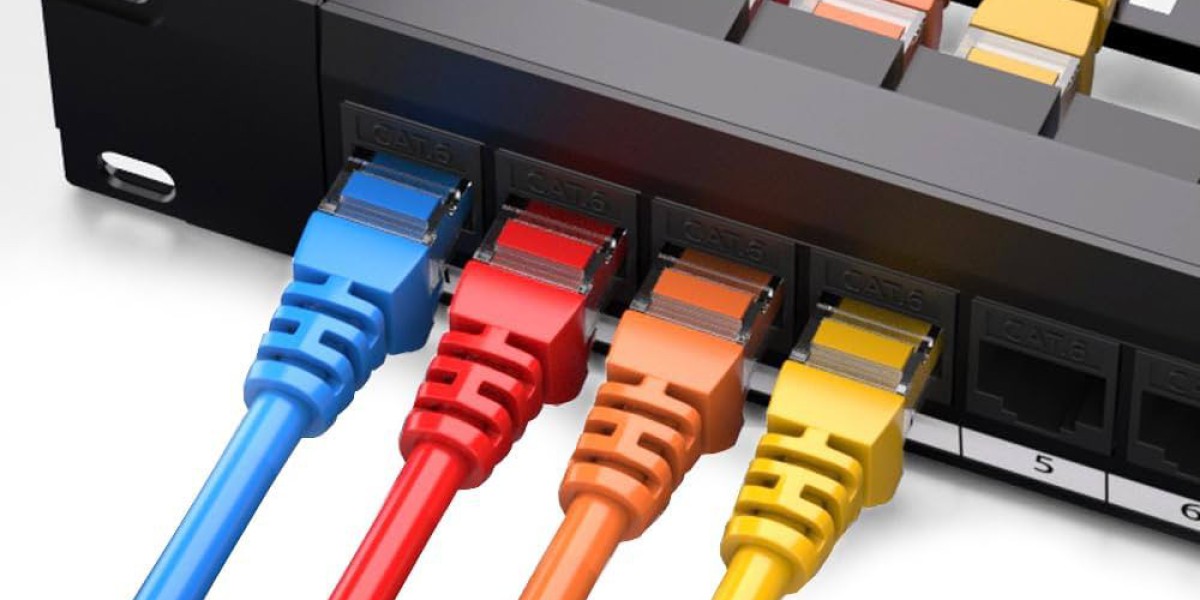

A well-organised network is essential for modern homes, offices, businesses, and professional IT environments. As the number of computers, printers, servers, wireless access points, security devices, and other connected equipment increases, managing network cables can quickly become difficult. This is where a patch panel can make a significant difference.
If you are planning a new network installation or upgrading an existing setup, understanding how to choose the right IT patch panel Cork solution can help you create a cleaner, easier-to-maintain, and more scalable network infrastructure.
PC Systems understands the importance of reliable IT hardware and organised network infrastructure for businesses and users in Cork. Choosing the right patch panel is not simply about selecting a panel with enough ports. Cable type, network requirements, rack space, port capacity, installation method, and future expansion should all be considered.
What Is an IT Patch Panel?
An IT patch panel is a passive networking component designed to organise and terminate network cables in a central location. It is commonly installed inside a server rack, network cabinet, or suitable wall-mounted enclosure.
Permanent network cables from different rooms, workstations, access points, or other locations are terminated at the rear of the patch panel. The front provides accessible ports that can then be connected to a network switch using shorter patch cables.
Unlike a network switch, a patch panel does not process or route network traffic. Its main purpose is to provide an organised and manageable connection point for structured cabling.
This separation makes network changes, maintenance, testing, and troubleshooting much easier.
Why Is a Patch Panel Important for Network Infrastructure?
Without proper cable organisation, even a relatively small network can become difficult to manage. Multiple cables may run between workstations, network equipment, cabinets, and other locations, making it challenging to identify individual connections.
A patch panel creates a central termination point and provides several practical benefits:
- Better cable organisation
- Easier troubleshooting
- Simpler network maintenance
- Cleaner server racks
- Easier equipment changes
- Improved documentation
- More convenient future expansion
- Reduced need to disturb permanent cabling
For businesses with several network connections, these advantages can become particularly important over time.
How Does a Patch Panel Work?
A typical structured network follows a simple connection path:
Workstation or device → network outlet → permanent network cable → patch panel → patch cable → network switch
The permanent cable remains connected to the rear of the patch panel. On the front, a short patch cable connects the appropriate port to the network switch.
If a connection needs to be moved to another switch port, the technician can usually change the patch cable rather than disturbing the permanent cable installed through walls, ceilings, or cable trays.
This approach makes network changes more practical and helps keep the permanent cabling installation stable.
Types of Patch Panels to Consider
There is no single patch panel suitable for every network. The right option depends on the type of cabling and the requirements of the installation.
Cat5e Patch Panels
Cat5e patch panels are designed for networks using compatible Cat5e cabling. They can be suitable for basic network environments where the existing infrastructure and performance requirements match this category.
If you are upgrading an older installation, check the existing cabling before selecting a panel.
Cat6 Patch Panels
Cat6 patch panels are commonly considered for modern business and office network installations. They are designed to work with compatible Cat6 structured cabling and can provide a suitable foundation for networks that require higher performance than older cabling systems.
Cat6A Patch Panels
Cat6A patch panels are designed for compatible Cat6A infrastructure and are often considered where higher network performance, future capacity, or demanding installations are important.
The patch panel should always be selected as part of the complete cabling system rather than as an isolated component.
Modular Patch Panels
Modular patch panels allow compatible modules or keystone connectors to be installed according to the requirements of the network.
They can provide greater flexibility where different connector types or future changes need to be considered.
How Many Ports Do You Need?
Port capacity is one of the most important decisions when choosing an IT patch panel Cork solution.
Common configurations include smaller panels for compact installations and larger panels for offices, server rooms, and expanding networks.
To determine the appropriate capacity, count the number of network connections you currently need. Consider computers, printers, wireless access points, VoIP equipment, cameras, servers, and other wired devices.
It is also sensible to consider future growth.
For example, if your current network requires 18 connections, choosing a panel with exactly 18 usable ports may leave little room for expansion. A larger panel could provide additional capacity without requiring another immediate hardware change.
Match the Patch Panel to Your Cabling
Compatibility is essential when choosing a patch panel.
The panel should match the type and category of cabling used throughout the network. If the permanent cable infrastructure uses a particular category, the termination hardware and patch cords should be selected appropriately.
Other considerations include:
- Cable category
- Shielded or unshielded installation
- Connector type
- Termination method
- Rack or cabinet compatibility
- Network performance requirements
- Future upgrade plans
Choosing components simply because they are inexpensive can create compatibility problems later.
Rack-Mounted vs Wall-Mounted Patch Panels
The physical environment also influences your choice.
Rack-mounted patch panels are commonly used in server rooms, network cabinets, and structured IT environments. They provide a neat way to arrange network connections alongside switches and cable management equipment.
Wall-mounted solutions can be suitable for smaller installations where a full-size rack is unnecessary or where available space is limited.
Before purchasing a patch panel, check the available mounting space and make sure the selected equipment fits correctly within the intended cabinet or enclosure.
Why Cable Labelling Matters
A patch panel is only as useful as the organisation behind it.
Every port should ideally have clear documentation showing where its cable leads. For example, a port could be associated with a particular office, workstation, meeting room, wireless access point, or other network endpoint.
Consistent labelling can save considerable time when diagnosing connectivity problems.
Instead of tracing several similar-looking cables manually, a technician can check the documentation and identify the relevant port much more quickly.
For businesses, keeping the documentation updated after network changes is equally important.
Common Patch Panel Installation Mistakes
Choosing the right panel is important, but installation quality also affects the overall network infrastructure.
Some common mistakes include:
Choosing the Wrong Category
Using a patch panel that does not properly match the intended cabling system can create unnecessary limitations.
Buying Too Few Ports
Failing to account for future network expansion can result in additional installation work later.
Poor Cable Management
Excessive cable length, tight bends, tangled patch cords, and poorly arranged cables can make maintenance more difficult.
Inconsistent Labelling
Unlabelled or incorrectly labelled ports can significantly increase troubleshooting time.
Ignoring Rack Space
The panel should fit comfortably within the available rack or cabinet while leaving appropriate space for switches, cable management, and other equipment.
Mixing Components Without Checking Compatibility
Network infrastructure should be planned as a complete system. Cable, patch panels, connectors, patch cords, and active equipment should be selected with compatibility and performance requirements in mind.
Choosing an IT Patch Panel Cork Solution
When selecting an IT patch panel Cork solution, start by assessing the current network and its expected future requirements.
Consider the number of connections, cable category, installation environment, port density, mounting requirements, and available rack space. If the network is expected to grow, allow sufficient capacity rather than designing only for today's requirements.
It is also important to consider installation quality. A well-designed network cabinet should have clear labelling, sensible cable routing, adequate access, and a logical relationship between patch panels, switches, and other network equipment.
PC Systems can be a useful point of contact for businesses and users looking at IT hardware and network infrastructure requirements in Cork. A professional approach to equipment selection can help ensure that the chosen components are appropriate for the intended environment.
How a Patch Panel Supports Future Network Expansion
One of the biggest advantages of structured cabling is flexibility.
As a business grows, it may need additional computers, network-connected printers, wireless access points, security equipment, or other devices. A properly planned patch panel provides a centralised structure for managing these connections.
Instead of redesigning the entire network whenever a new connection is required, available ports and documented cabling can make expansion more straightforward.
This is particularly useful for offices that expect changes in their workspace, employee numbers, or technology requirements.
FAQ
Q: What is an IT patch panel used for?
A: An IT patch panel provides a central termination and organisation point for network cabling. It helps connect permanent network cables to switches through manageable patch connections.
Q: Does a patch panel improve internet speed?
A: A patch panel does not directly increase internet speed or network bandwidth. Its main purpose is to organise cabling, simplify maintenance, and make network connections easier to manage.
Q: How many ports should a patch panel have?
A: The number of ports depends on the current number of network connections and expected future expansion. It is generally useful to allow additional capacity rather than choosing a panel that is already close to full.
Q: Can a patch panel be used with a network switch?
A: Yes. A common structured cabling arrangement connects permanent cables to the patch panel and then uses short patch cables to connect the panel ports to a network switch.
Q: Should the patch panel match the network cable category?
A: Yes. The patch panel should be appropriate for the cable category and overall network design. Compatibility between the cabling, connectors, patch panel, and patch cords is important.
Q: Is labelling a patch panel necessary?
A: Clear labelling is strongly recommended. It helps technicians identify where each cable leads and can make troubleshooting, maintenance, and future network changes considerably easier.
Q: Can a patch panel support future network expansion?
A: Yes. Selecting a panel with additional available ports can provide room for future devices and network connections. Planning for expansion during the initial installation can reduce the need for later changes.
Conclusion
Choosing the right IT patch panel Cork solution requires more than simply counting the number of available ports. Cable category, compatibility, port capacity, mounting requirements, labelling, cable management, and future expansion should all be considered before making a decision.
A properly selected and installed patch panel provides a structured connection point that keeps network infrastructure organised and easier to maintain. For businesses and other users in Cork, taking a planned approach to network hardware can help create an IT environment that remains practical as connectivity requirements grow.
PC Systems can support businesses and users looking for reliable IT hardware and networking solutions. With the right planning and suitable equipment, a well-organised patch panel can become an important part of a dependable and manageable network infrastructure.






