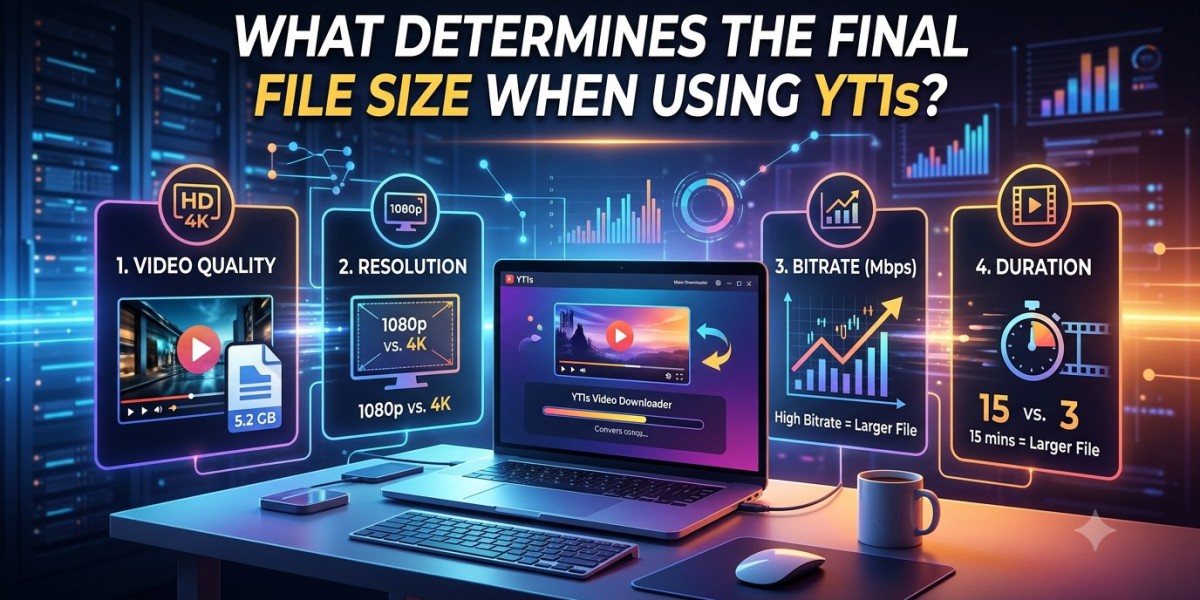

When you are trying to save an audio or video file, you mainly focus on the size of the file because it affects storage space, transfer time, and playback on different devices. A smaller file can be easily managed or transferred, while a larger file may contain more audio or video data. Knowing what affects file size beforehand can help you choose settings that fit your needs.
A YouTube MP3 converter can generate files of different sizes depending on the original file, audio quality, and encoding settings. Even when two files come from the same video, such as video or audio, they may not have the same size. Your format selection to length of the content can also affect size significantly.
1. Length of the Audio or Video
The timing of a file is one of the main factors affecting file size directly. A 3-minute song often takes less space than a 1-hour lecture video when both use similar settings.
Another reason is that longer videos contain larger audio data, so they generally need more storage than short clips. Before processing a file, consider how much of the content you actually need.
2. Bitrate and Quality Settings
Bitrate describes how much data is used to represent each second of audio or video. A higher bitrate usually creates a larger file because more data is stored.
For MP3 audio, common bitrates include 128 kbps, 192 kbps, and 320 kbps. A 320 kbps file is generally larger than the same audio encoded at 128 kbps. However, a higher bitrate cannot restore detail missing from a low-quality source.
3. Audio and Video Formats
Different formats store and compress media in different ways. MP3 is designed for audio, while MP4 commonly holds video, audio, and other media data.
The format alone does not determine the final size. The codec, compression method, bitrate, and content also matter. Two files with the same duration can have very different sizes because they use different encoding settings.
4. Compression and Original Quality
Compression reduces the amount of data needed to store a file. Stronger compression can create a smaller file, but it may also reduce sound or picture quality.
The source is important, too. A high-resolution video may need more data than a low-resolution version. Similarly, a complex scene with fast movement may require more data to maintain visual detail.
5. Metadata and Extra Information
The audio files can contain metadata, such as artist, song title, album name, and cover artwork. This information adds some data to the file.
Metadata usually makes a small difference compared to the size of the audio or video itself. Big embedded pictures can add space, although they are seldom the decisive factor.
How YT1s Can Affect File Size
YT1s is associated with online media conversion and downloading. When processing supported content, the available output format and quality settings can affect the resulting file size.
For example, choosing an audio-only output instead of a video file generally creates a smaller file because the video data is not included. If several quality options are available, compare them before selecting the one that suits your storage and listening needs.
Actual results depend on the source and the service's available options.
How to Choose a Suitable File Size
First, decide if quality or storage space is more important to you. For regular audio listening, a moderate bitrate may be enough. Video: Pick a resolution that looks good on your device, but isn’t an unreasonably huge file.
Always check the final file size and play it to make sure it works correctly.
Conclusion
The final file size when using YT1s relies on several factors, including duration, bitrate, compression method, source quality, and metadata. Selecting an appropriate format and quality level can help you manage storage needs with a better listening or viewing experience. Before converting or downloading online media, make sure you have permission to use it and follow fair practices and copyright laws.






